Central command center extension for browser-based workflows
ConnectWare Hub, developed by ConnectWare, is a Chrome extension that acts as a centralized command center for web-based workflows. The tool consolidates multiple web services into a single dashboard, provides real-time desktop notifications, and exposes quick-access shortcuts for frequent platforms. It synchronizes hub configurations across devices via Chrome profiles and runs inside Chromium browsers, targeting enterprise users, remote professionals, and teams who want fewer open tabs and clearer notification management.
What the hub replaces in daily browsing
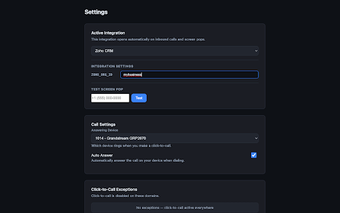
The extension reduces context switching by aggregating alerts and links into one interface, anchored to its unified dashboard and notification feed. Installation begins from the browser toolbar and proceeds through the extension's login prompts, which the hub uses to connect services. The developer notes that full functionality typically requires a ConnectWare account, so initial setup may include account authentication to enable service integrations and cross-device sync.
How it behaves under normal use and light load
The extension is designed with a lightweight profile and native Chrome integration for low-latency access, which the developer highlights as a performance goal. Because it runs as a Chromium extension it stays inside the browser process model, and users report minimal perceived impact on browsing. Availability across Chromium-based browsers means the same behavior applies on other compatible desktop environments.
How the extension handles synchronization and security
Synchronization of settings and hub configurations uses Chrome profiles, allowing configurations to travel between devices tied to the same profile. Secure authentication methods and standard browser security protocols are used to protect connections to third-party services. The account-based sync model implies that enabling full integration routes some configuration data through the developer's service for management and access control.
Who benefits and how it fits team workflows
The extension targets enterprise and distributed teams that juggle many web apps and want a single place for notifications and shortcuts. Dashboard customization lets users choose which integrations appear, so teams can tailor the hub to specific workflows. User reception is strongest among those already operating within the developer's ecosystem, where consolidation of tools reduces the number of open tabs and simplifies daily coordination.
Practical choice for teams that accept an account-based hub
The hub is a pragmatic option for organizations that prefer a single, browser-contained control point for web tools and notifications. Its account-dependent integration model is a clear trade-off: teams gain consolidated management but must adopt the developer's synchronization path. For groups ready to centralize tooling under an extension, it tightens daily workflows; teams that avoid vendor-managed sync may find the model restrictive.